An Eink Weather Display
I had previously blogged about an Eink dashboard for tracking baby stuff (see more in the eink series at the end of the page).
I’ve now repurposed that original baby dashboard (since I no longer need to track poopy diapers) into a weather station, and I would like to share some technical details about how it works.
An Eink Weather Display
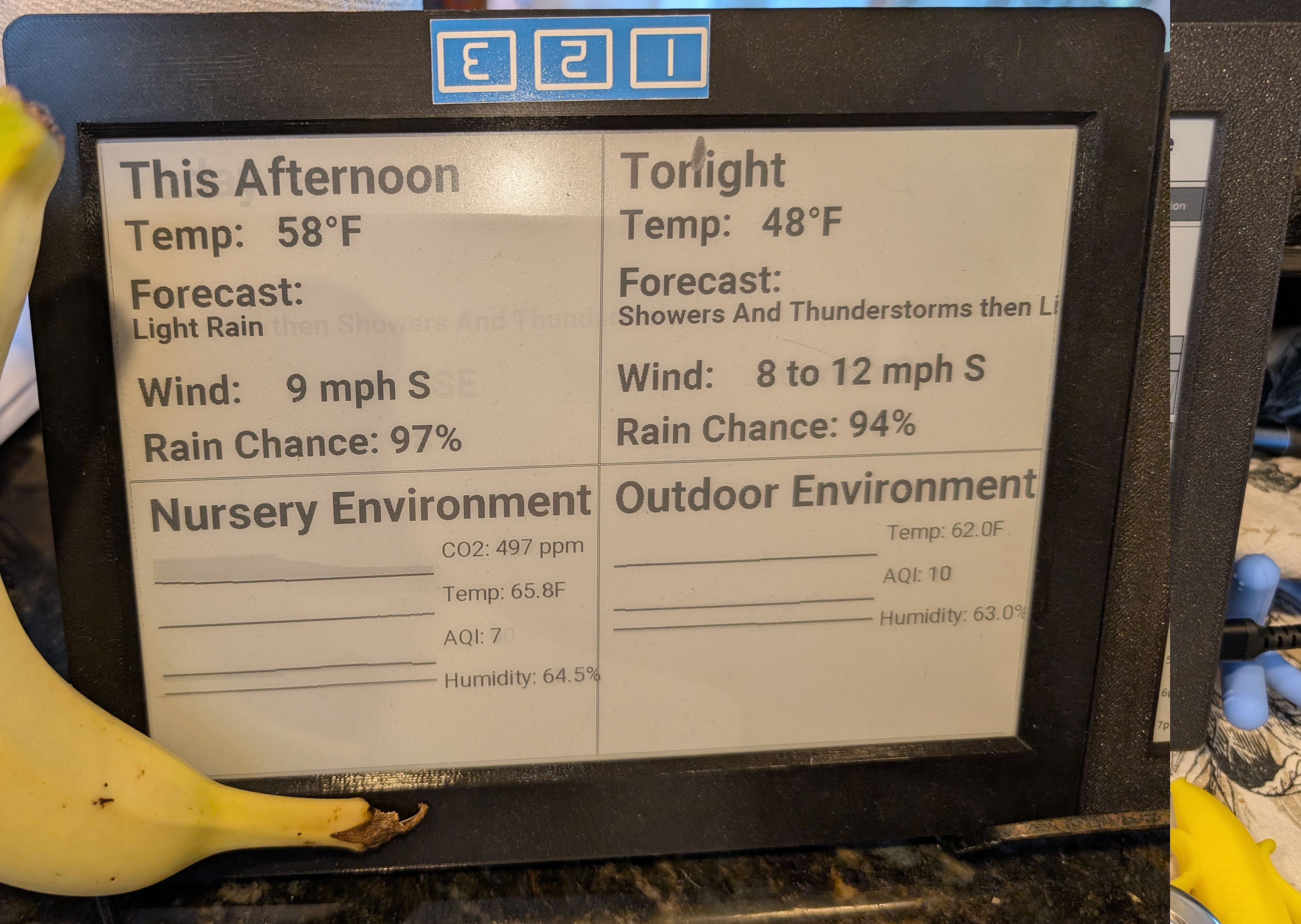
This weather display also uses the 9.7 e-paper and ESP32 controller.
At first glance you might think this is somehow a remote view on a HomeAssistant dashboard, or some sort of Raspberry Pi project. Eink weather displays are a pretty common DIY build. They are fun!
But I didn’t want more servers and more code. I want this thing to be super reliable and have the fewest dependencies possible. In this case, all the text, boxes, and graphs are rendered locally on the ESP32. BUT, I didn’t write any code to do that. (Although I did write a lot of ESPHome YAML to define the boxes, here is the full config)
All the data it consumes is available locally on, you guessed it, MQTT.
The weather data comes from api.weather.gov, via a bash script cron job on the router takes that data and uses mosquitto_pub to put it on MQTT (localhost).
The external AQI data comes from a local PurpleAir sensor, similarly fetched by a cron job that publishes to MQTT to make it easier.
The ESP32 doesn’t need to be concerned with JSON or APIs or anything like that.
Heck, it doesn’t even have access to the internet.
Updating The eink Display
Unlike the calendar, the actual geometry never changes, only the text.
However, this display does need to update much more frequently than the calendar. In fact, it updates whenever there is any new data available on MQTT. It updates on-demand.
Incredibly, this display supports partial_updating.
The screen doesn’t need to do a full refresh in order to update a pixel or a block of text.
Here is a time lapse of that in action:
ESPHome has all the code required to understand how to go from a new update on an MQTT topic -> a block of real text on the display object -> partially updating those pixels to account for that update.
Conclusion
Like a lot of my other projects, I’m allergic to adding more code, more servers, or more internet-dependent junk.
I think this exercise in restraint is particularly important as AI coding assistants will happily steer you towards building a space station, when what you really need is a reliable coffee maker.
Comment via email