I originally made this blog post in 2025 in “the before times”, before AI took over the world.
It was multiple parts, and … boring.
This is a consolidated post, revived thanks to AI assisting me in writing the hardest part of the code, bringing this project over the finish line.
The blog post itself is NOT written by AI.
Intro
I’ve built a tool-assisted autosolver to solve the Bubblewonder Abyss level of the Logical Journey of the Zoombinis:
It doesn’t “cheat” in any way. It doesn’t have access to any private state. It literally looks at the whole board, every Zoombini, every trap, and then simulates every move, figures out the winning sequence, then does real drag & drops.
Let me tell you more about how I made it.
Zoombinis
I’ve recently rediscovered the “Logical Journey of the Zoombinis” remake for Android, Steam, and other platforms (just called “Zoombinis” now).
It is a fun logic puzzle game from my childhood, but updated to run on modern platforms with redone graphics. The puzzles are still the same.
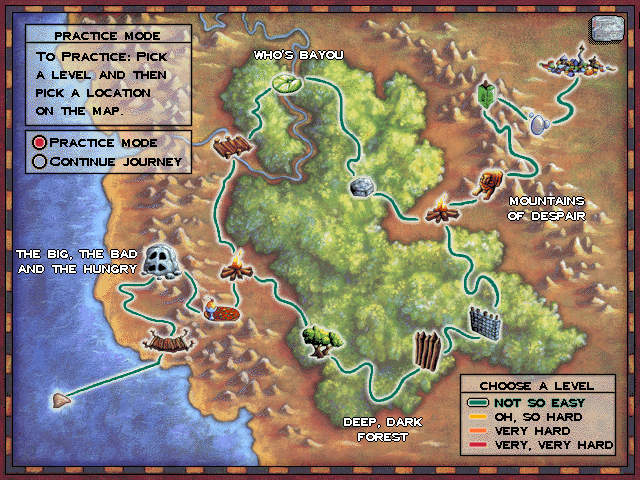
There are twelve puzzle levels in the game. The player navigates a set of Zoombinis across the map, playing each level, hopefully transporting 16 Zoombinis all the way to Zoombiniville:
You can even play the classic version online for free here, but I like the Android version because it is kinda fun to play with your fingers.
The Challenge: Could I Autosolve It?
After playing this game on the hardest difficulty (now that I’m an adult), I wondered: could I “autosolve” this game with a computer?
Mostly because I was looking for a different kind of challenge than solving these levels over and over.
Seriously, to beat the game you need to get 400 (625 in the original) all the way through. It’s pretty tedious. And, as you will see, as difficulty scales up, I just don’t have the patience and brain power to slog through it all.
I’m not actually interested in speed-running, but I think I’m the first person to do this for this game, so I guess I’m the first and the fastest.
The Final Level: Bubblewonder Abyss
Bubblewonder Abyss is the last level of the game. The object of the level is to safely launch the Zoombinis across a grid of traps, hopefully ending up safely on the upper right-hand corner. When you launch them, they float in a bubble, following the arrows as specified:
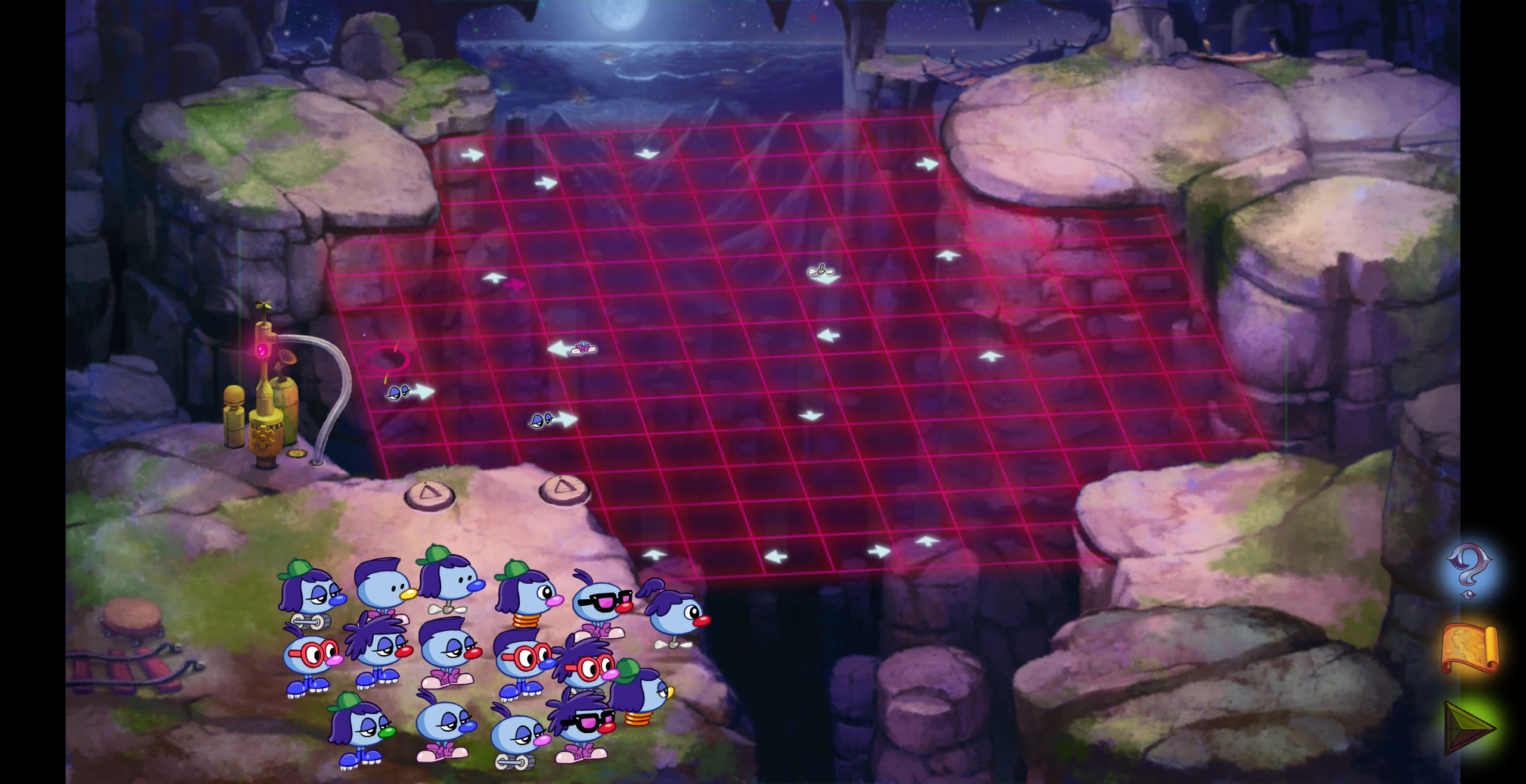
This is one of the few puzzles where one can “just” stare at the puzzle for a long time and come up with a solution in your head, and then execute (contrast to a probing approach, detecting hidden rules in some puzzles).
In other words, there is no hidden information.
On the harder difficulty, it gets harder to simulate the grid in your head:
Level 2: More things going on:
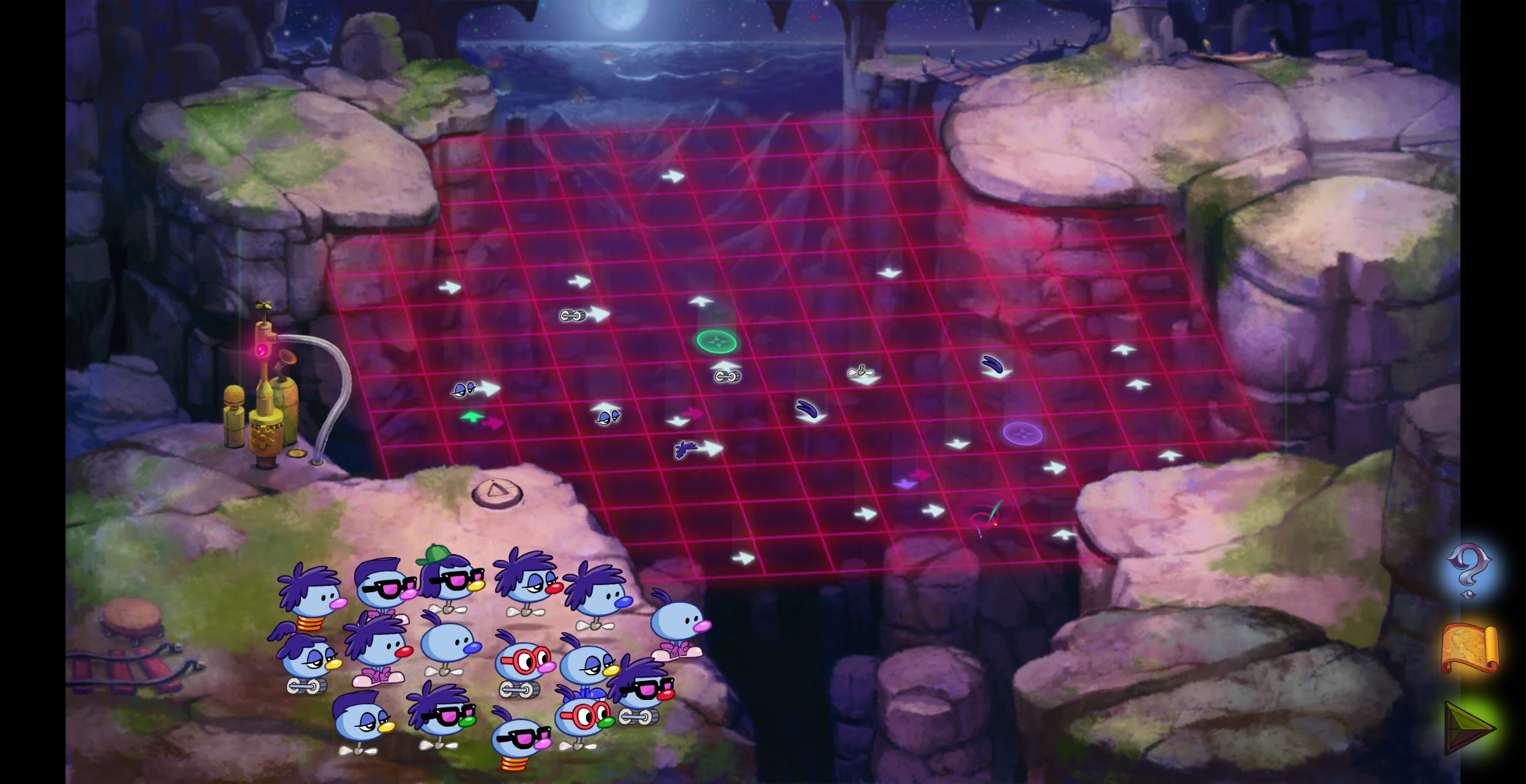
Level 3: Filter arrows and colored switches:
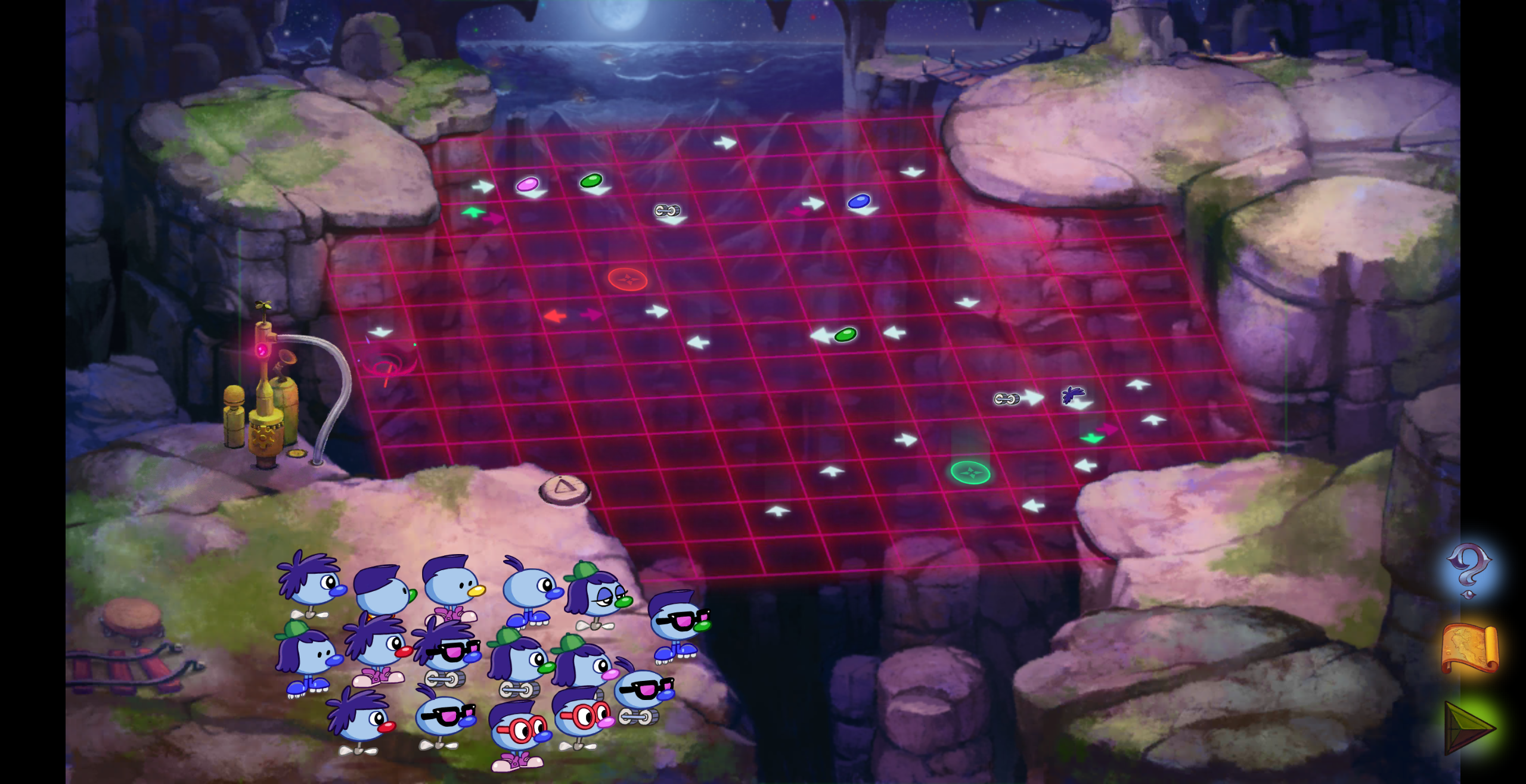
Level 4: Traps, multiple staging areas, and general insanity:
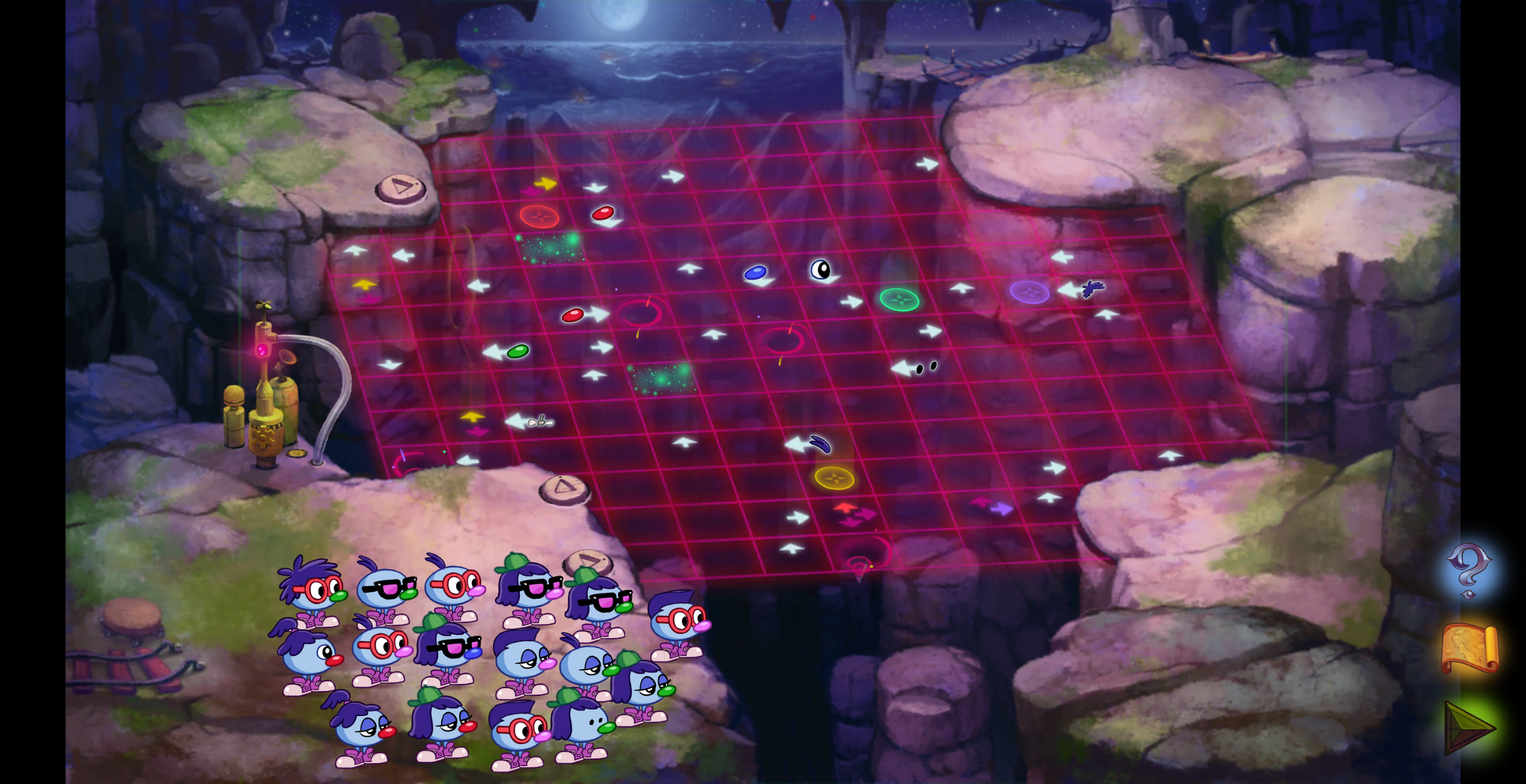
But because I’m older, I don’t have time to play this level over and over, I have hundreds of Zoombinis to get through! (You have to play 25 times to get all 400 Zoombinis to the end)
Could I write a computer program to beat this game for me?
The General Approach
How is such a program going to work? Something like this:
phone := getPhone()
screenshot := takeScreenshot(phone)

gameModel := createGameFromScreenshot(screenshot)
solution := solveGame(gameModel)

print(solution)
executeSolutionOnPhone(phone, solution)
Now all we have to do is implement these functions!
I still get a kick out of writing super high level functions, stubbing out hard parts, doing TDD, refactoring, all the “good stuff” about writing code.
I love going top down, writing the highest level main() function, and working all the way through.
I think it is just a cool experience to gradually build out something from your head, even though you have no idea how to implement the leaf functions. I still get a kick out of it.
I started writing this in Python, but switched to Golang when I got to the solver, for speed.
Modeling the Game
With this kind of problem, getting the Model right will greatly influence the extra parts of the code. It would be silly to try to write a solver without a solid model.
How do we model this game?
We’ll need some sort of game object that will need:
- A 2D matrix of
Cells representing the game grid, which is 13x13. - An array of the 16 input
Zoombinis - Methods for launching a
Zoombiniand simulating its movement - A companion
Zoombinimodel that can representx,y,direction, and all the associated Zoombini attributes (hair, eyes, nose, and feet).
In golang this means structs and lots of iotas (enum consts).
func (g *BWAGame) stepZoombini(z *Zoombini) error {
	x, y := z.X, z.Y
	if z.State == Moving {
		switch z.Direction {
		case ArrowUp:
			z.SetPosition(x, y+1)
		case ArrowDown:
			z.SetPosition(x, y-1)
		case ArrowLeft:
			z.SetPosition(x-1, y)
		case ArrowRight:
			z.SetPosition(x+1, y)
		}
	}
	x, y = z.X, z.Y
	if x < 0 || x >= 13 || y < 0 || y >= 13 {
		panic(fmt.Sprintf("Zoombini %s is out of bounds", z))
	}
	currentCell := g.Grid[x][y]
...
	return currentCell.Activate(z)
}
It looks simple, but much of the hardest logic (in the ...) has to do with a special cell type: Sparkles
Modeling Sparkles
For all other cell types (arrows and stuff), a game can be modeled by manipulating a particular Zoombini as it travels across the grid.
You can do a for loop while the Zoombini is moving, no problem.
Sparkles are the only cell type that Trap a Zoombini.
This means we need to somehow save that Zoombini’s state and keep it on the grid, and then move on to moving the next Zoombini.
A Zoombini trapped in Sparkles can be untrapped in one of two ways:
- Another Zoombini can bump the trapped Zoombini, replacing it and sending the previously-trapped Zoombini in the same direction.
- A remotely triggered switch that will untrap any Sparkle cells that match the same color.
No other cell types can interact with other Zoombinis on the game grid like this.
This means a Sparkles cell really needs to operate at the game-level, not at the Cell-level.
After a lot of bugs, I eventually just settled on having the SparklesCell hold a TrappedZoombiniIndex, which represents the index into the array of Zoombinis.
No pointer nonsense.
Modeling the Board
The board is relatively simple once each cell and Zoombini can fit into it.
It is just a 13x13 array with pointers.
Loading the Board From a Screenshot
This was the super hard part that I needed AI help with.
Computer vision is a whole deep field of study that is just over my head.
Cropping, labeling, training ML models, warping, occlusion, edge detection, there is just too much for me to learn for a hobby project like this.
That is OK, AI is very good at it.
First, we take a screenshot of the phone, and crop out two different parts: Zoombinis and the Game Grid.
Detecting Zoombinis
Let’s look at what Zoombinis actually look like:
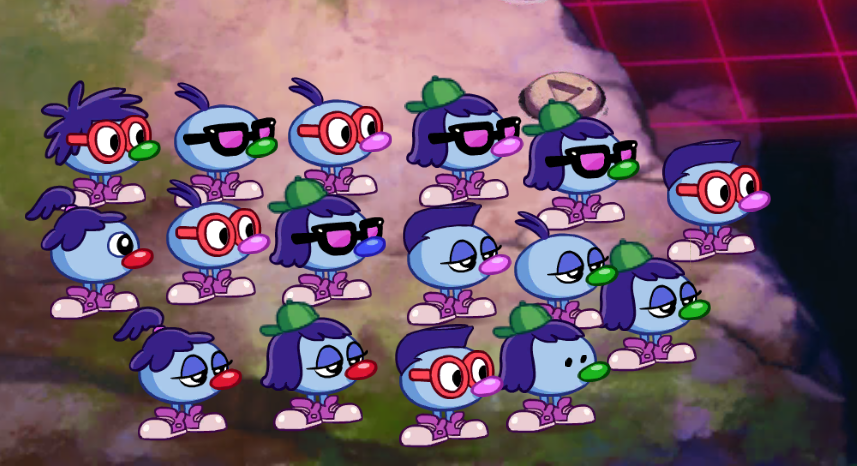
They are blue blobs with different combinations of:
- Hair
- Eyes
- Nose
- Feet
625 possible combinations (five different options per).
For our game, we will need to detect the blue blobs, and then crop each feature, and then detect what feature they have:
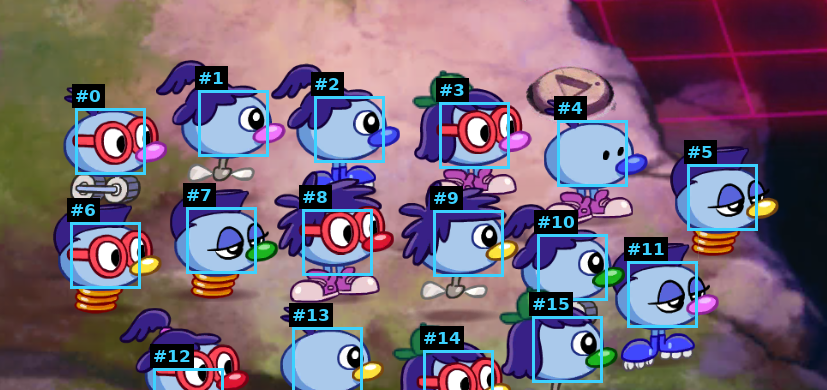
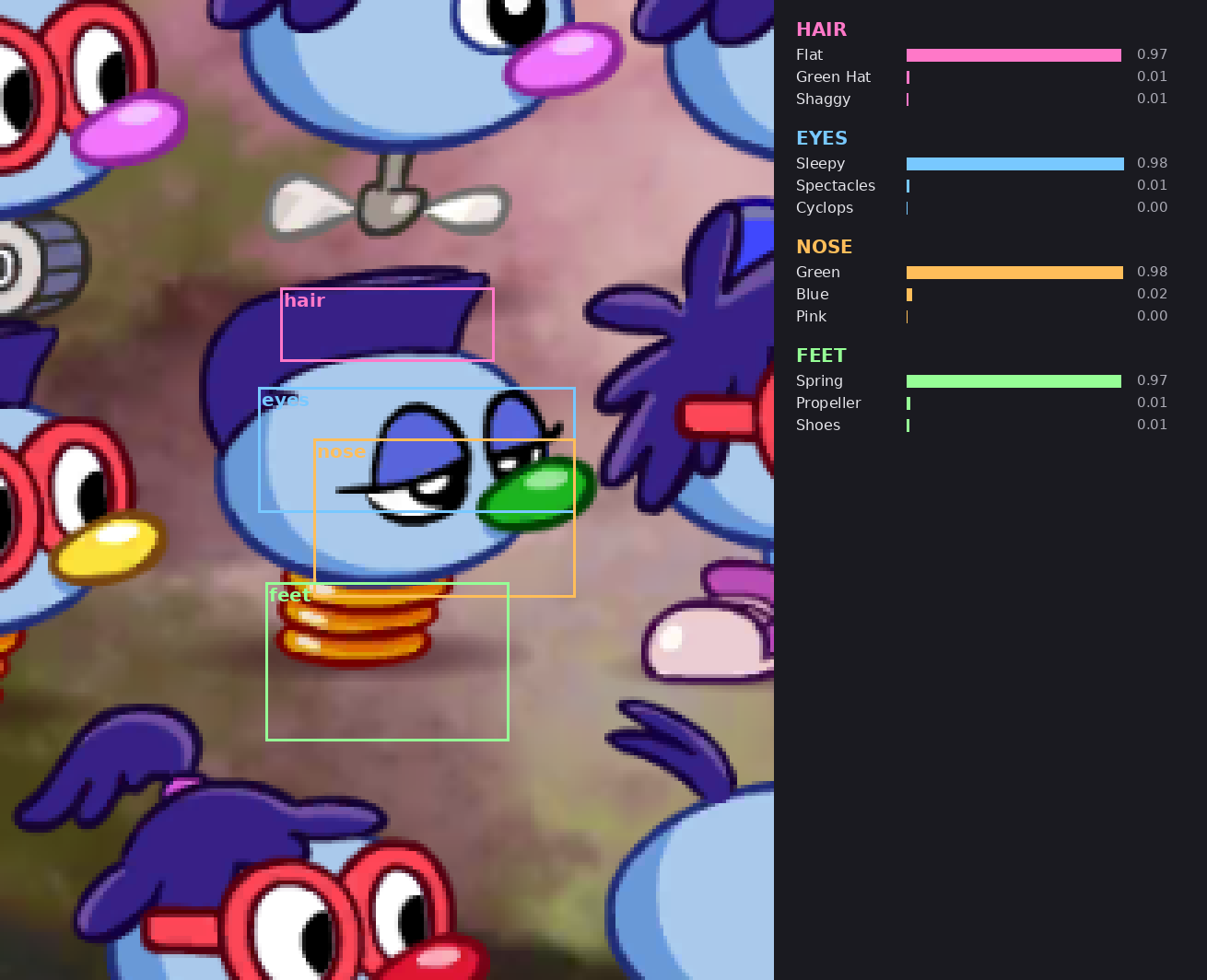
I started with “simple” detection methods, like colors and sprite matching, but ended up giving up and going full-blown using a small ML model.
The problem is that these little guys are NOT static. They move around the board, they turn (animate), and … blink. Sometimes they will overlap (occlude) another. Honestly, even as a human, sometimes you literally just cannot tell what they are until you move some out of the way.
The ML model is fuzzy, and can tolerate this stuff.
It works reasonably well, something like 95% accurate, which is good enough for me.
Detecting the Game Grid
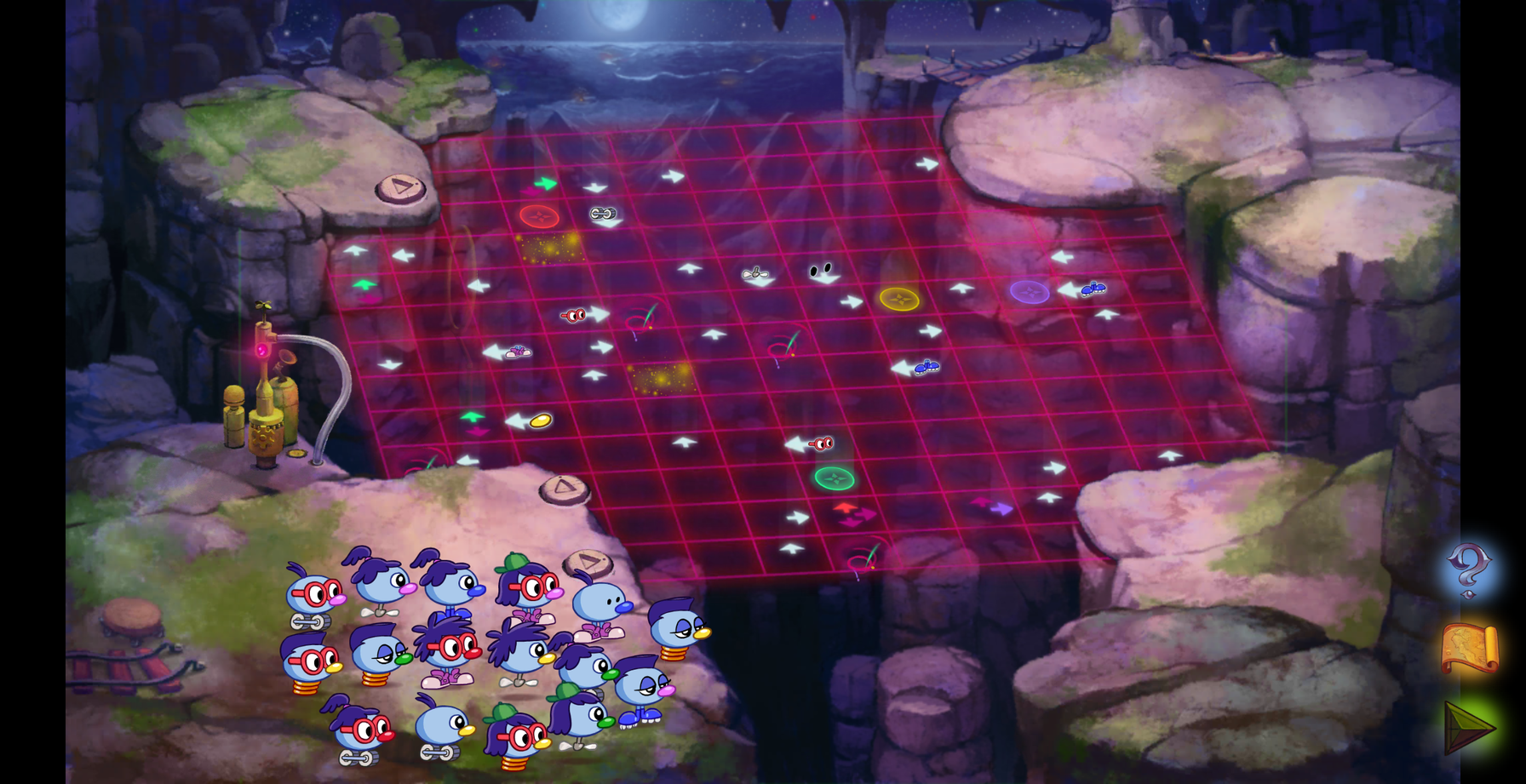
The next thing to detect is the 13x13 cells in the game grid.
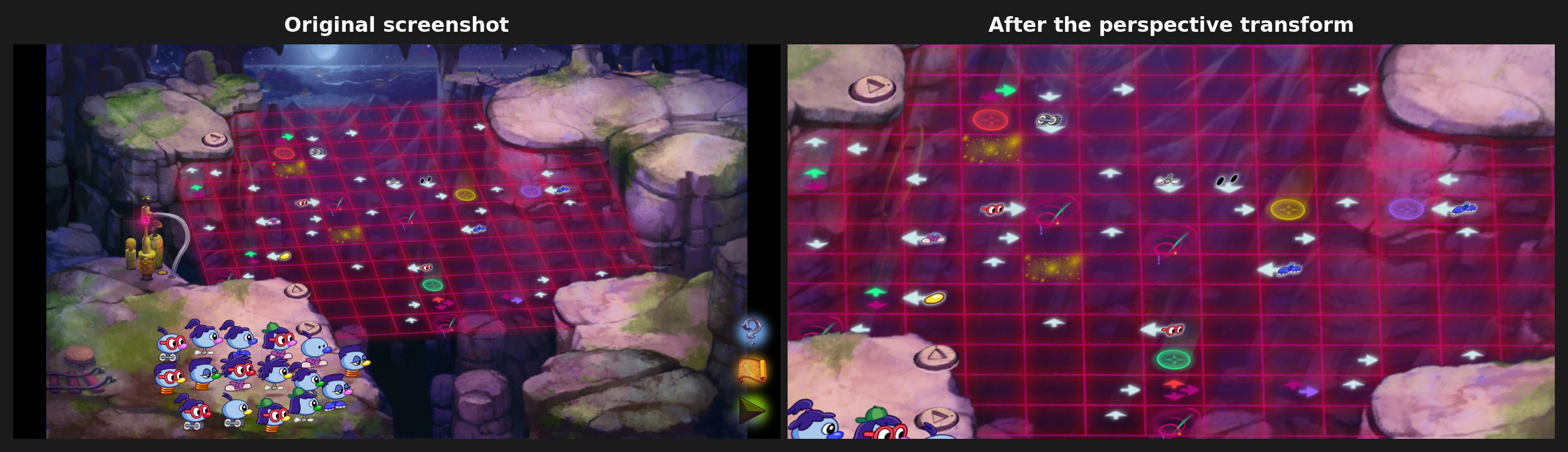
The first thing we need to do is “de-perspective” it, making it flat:
To do this, I used the Perspective tool in GIMP, and then recorded the exact matrix values I used to invert the perspective.
Once flattened, we can do a similar kind of trick to detect each cell. A low-grade ML model makes detection fast after I labeled a bunch of reference cells:
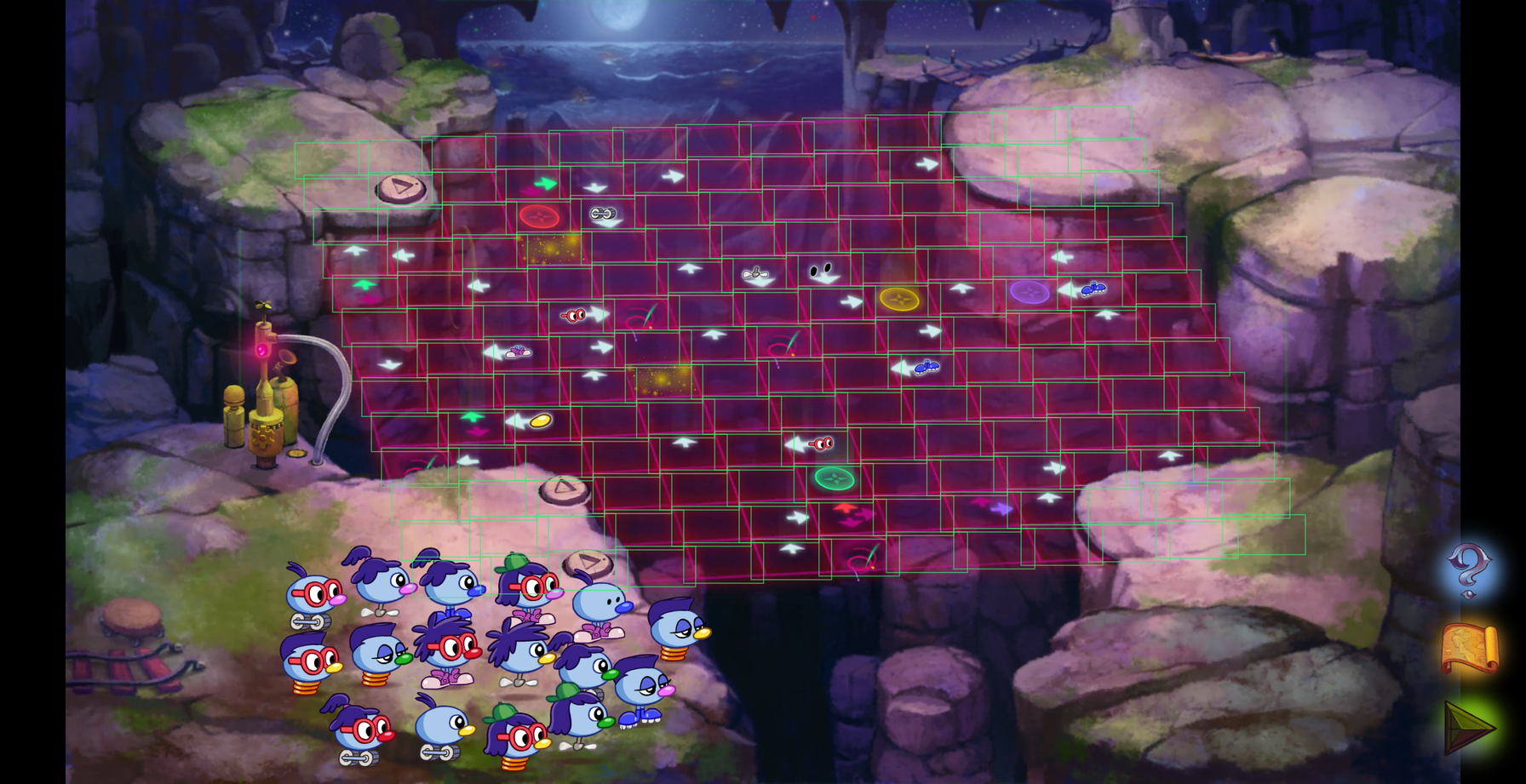
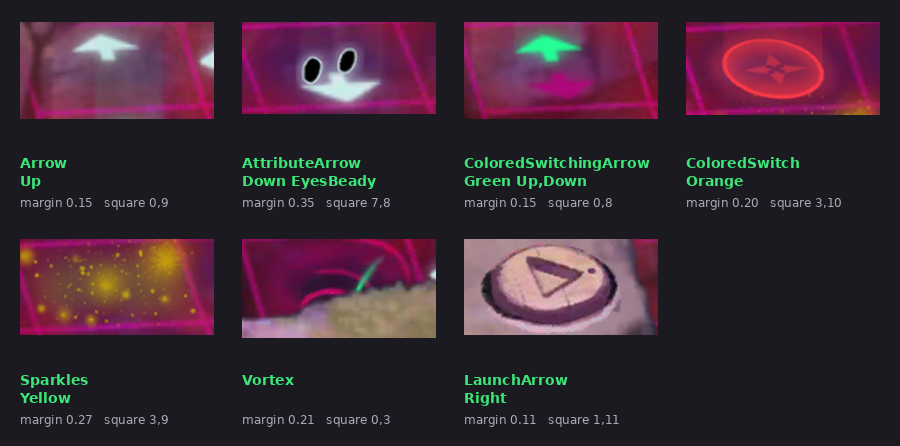
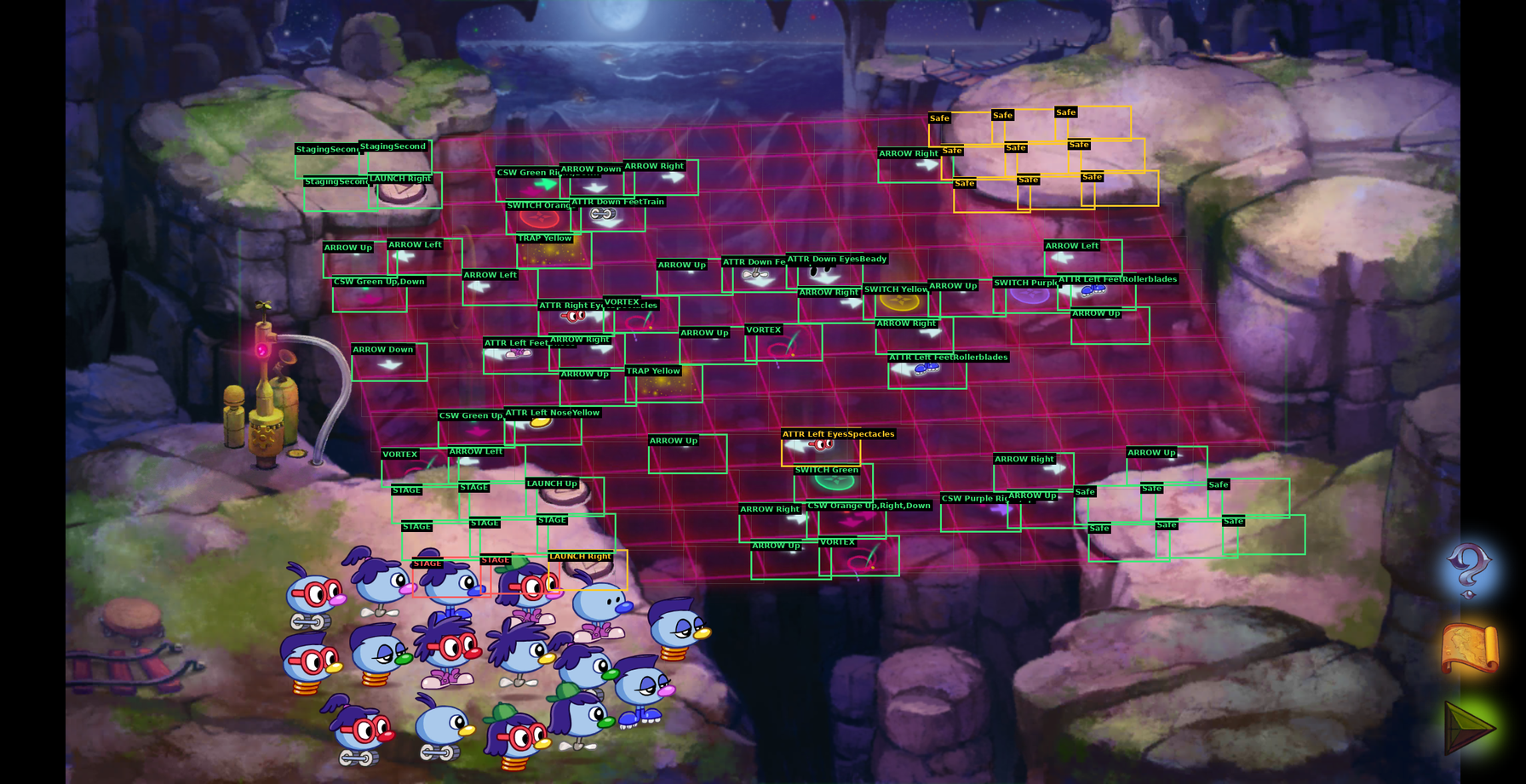
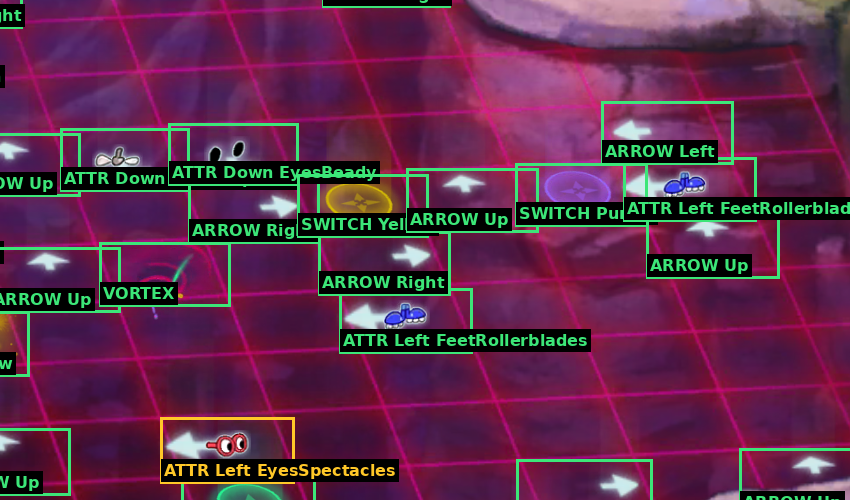
And then putting it together, I can see what the ML models detected and double check what they chose. I didn’t bother moving on until this part of the process was airtight:
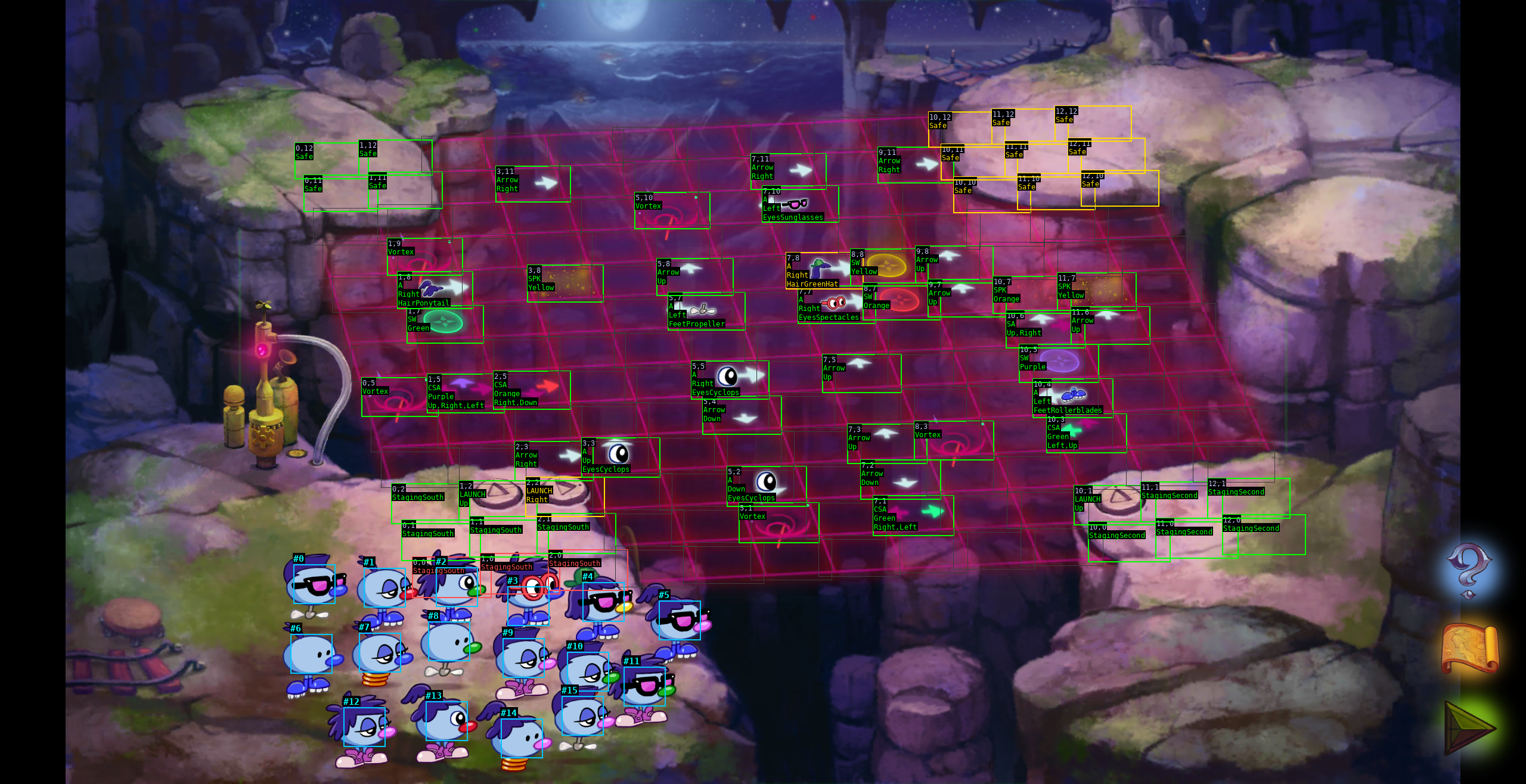
Once the program could reliably detect every aspect of the game, it was finally time to do the fun part: actually writing a solver.
Solving the Game
Solving becomes almost “easy” with a really good model.
I decided to do a naive depth-first-search (DFS) recursive search. It looks like this:
func (s *BubbleWonderAbyssDFSSolver) dfs(depth, maxDepth int, game BWAGame, pathSoFar []Move) []Move {
	if s.isGoalState(game) {
		return pathSoFar
	}
	if depth >= maxDepth {
		return nil
	}

	stateHash := s.getGameStateHash(game)
	if s.VisitedStates[stateHash] {
		return nil
	}
	s.VisitedStates[stateHash] = true

	for _, move := range s.getAvailableMoves(game) {
		newGame := game.Clone()
		s.applyInitialMove(move, newGame)
		if newGame.areAnyDead() {
			continue
		}
		nextPath := s.dfs(depth+1, maxDepth, *newGame, append(pathSoFar, move))
		if nextPath != nil {
			return nextPath
		}
	}

	return nil
}
Recursion is great!
I do love normal work stuff, but I never get to write recursive code at work? No fun right?
In writing this solver I was reminded of why I like hobby projects so much. I would never get the opportunity to write a recursive depth first solver at work. We’ve got JSON to sling around!
It’s nice to just do something a little different every once in a while.
Now it might become obvious why I needed that panic() in the step function.
A panic situation might happen after a few minutes into the dfs(), with a very particular game setup and set of moves.
Reproducing it exactly was key to squashing the bugs.
Using a debugger meant slowing the program way down, and getting the bare minimum repro case was perfect for unit testing.
So instead, I let the game run at full speed, and if it does panic, it will print out the repr version of the board state, then I could turn that into a unit test, and only step through that one case, instead of firing up the whole solver again.
Simulating and Visualizing the Grid
It was difficult for me to really understand how my model and Sparkles were interacting.
I extended my game code to have a TUI so that I could observe the game simulation:
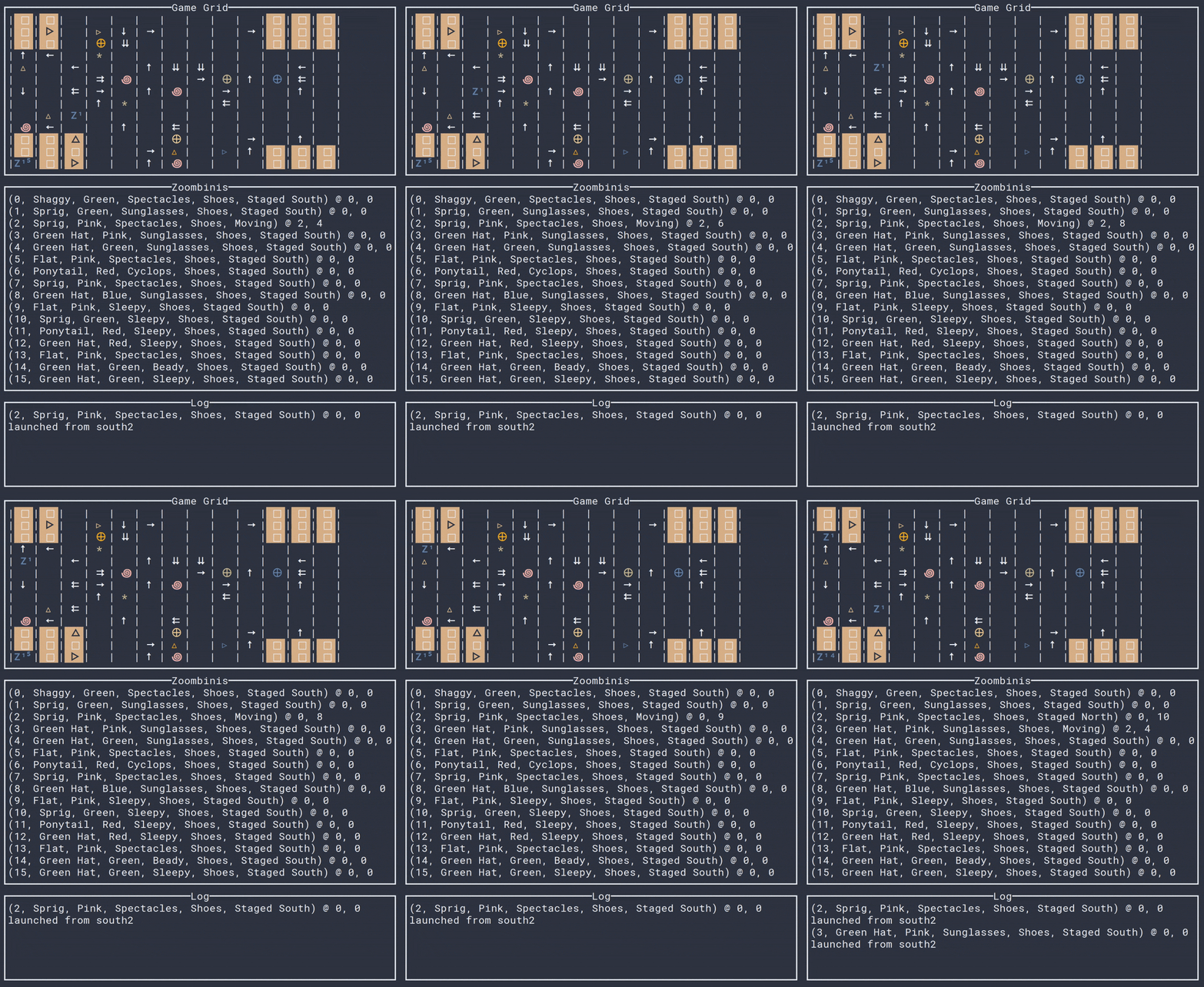
I knew I was going to need this anyway once I got the point where it was dragging and dropping Zoombinis on the actual phone.
Optimizing the Solver
Things were going pretty great.
I was running it in “practice” mode, working out bugs, refining the Zoombini detection code, until this one board made the program hang and time out:
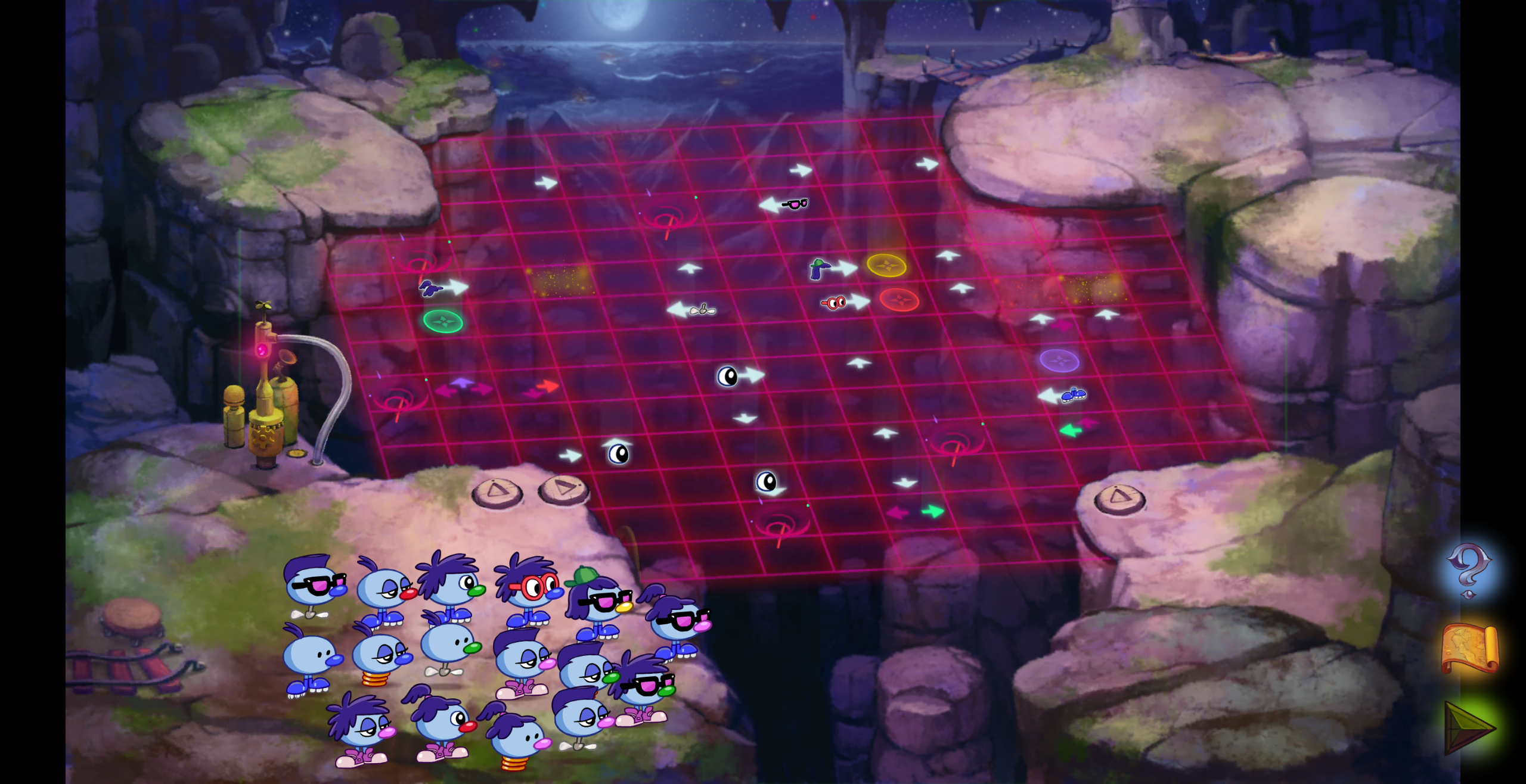
Seven vortices, three Sparkle traps… just a ton going on here.
Go ahead, just try to solve that in your head? Which Zoombini do you want to go first? :)
The solver timed out, only because I set a two minute max. Till now it never needed to go deeper than that.
I thought there could be a couple of reasons:
- The board is truly not solvable (False. There are some puzzles in this game that note that not every Zoombini can be saved, but not Bubblewonder Abyss)
- There is something wrong with my detection code (False, I triple checked what the game was reading with the ground truth of the screenshot, it was correct)
- There was a bug in my game logic (Unlikely? This was a complex board, but there wasn’t any novel cell or attribute in it)
- This board was just super super hard and I needed to let it run more (True)
So I just let it run. I wasn’t in a rush. It finished in… 42 minutes.
My original solver was certainly not bad, but from here I asked AI to optimize it. AI helped reduce the number of search paths drastically by realizing that, for the 16 Zoombinis and 16! possible launch orderings, there is a lot of symmetry we can reduce. While the Zoombinis may all be unique, the board only cares about certain attributes. In other words, we only need to hash unique possible paths based on Zoombini attributes that the board actually cares about.
In other words, if the solver is working through two different paths, one with a RED noes first, then a YELLOW nose, but the game grid doesn’t have any cells that care about those nose colors, then they are essentially duplicate, and we don’t need to recurse into both of them.
This optimization got the solver down from the minutes range into the seconds range.
Executing the Solution
Executing the solution on the phone is relatively easy once we know the actual solution ordering.
In the first step, where we loaded the board into a model from a screenshot, we save the original x,y coordinates.
That way, when we go to actually solve, we can use Android’s adb command to drag a Zoombini:
adb shell input swipe X Y ...
Conclusion
I’m really happy I got closure on this project. Thanks to AI, I have a really great ML model for detecting all these Zoombini attributes, and a library for solving more puzzles.
I look forward to writing more solvers, beating the game, and perhaps doing a full tool-assisted speedrun (TAS)!
Comment via email